Reset Password

Let's get you ready for MORE customers and MORE help with Pupsai. If you have forgotten your password to login to your account, don't worry. Below are a few easy steps to get you a new set of credentials.

To get started:
  • Navigate to https://pupsai.com/login
  • Click the "Forget Password?" link
  • You'll be redirected to the reset password page seen below
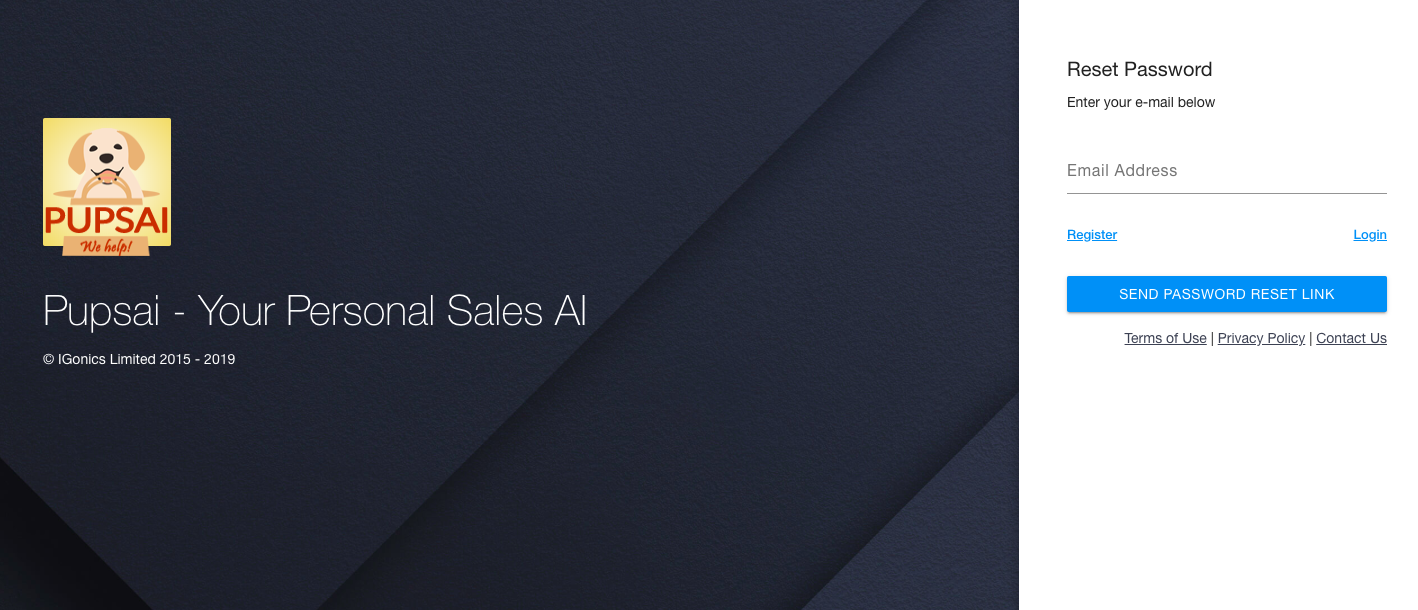


  • Enter the email address associated with your Pupsai account
  • Click the "Send Password Resent Link" button
  • Check your email address for a rest password link
  • Click the "Reset Password" button in the email
  • You'll be redirected to the reset password page seen below
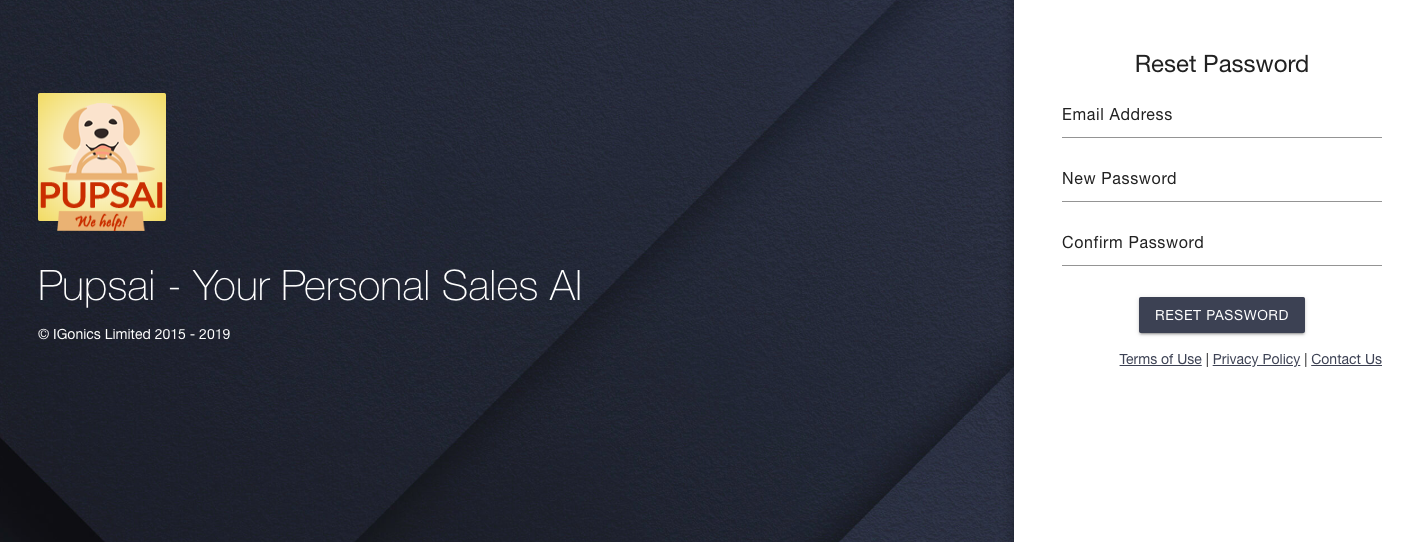


  • Re-enter the email address associated with your Pupsai account
  • Enter your new password and
  • Re-enter your new password to confirm
  • Click the "Reset Password" button
  • Once your password has been successfully changed, you'll be redirected to your dashboard

Did you find this article useful?

  • Pupsai Registration

    Let's get you ready for MORE customers and MORE help with Pupsai. There are three (3) ways to regist...
  • Login to Pupsai

    Let's get you ready for MORE customers and MORE help with Pupsai. There are three (3) ways to login ...
  • Team Setup

    Pupsai is team driven to ensure you get MORE customers and MORE help. To get started, ensure you are...
  • Inventory Setup - Pupsai Local

    Let's get you one step closer to getting MORE customers and MORE help!Pupsai can automate the creati...
  • Inventory Setup - Shopify

    Let's get you one step closer to getting MORE customers and MORE help!Pupsai can automate the creati...