After you have been logged in, there are two (2) ways to create a team; the "Switch Team" icon on the dashboard or the "Team Management" option from the navigation bar.
Using the Switch Team Icon
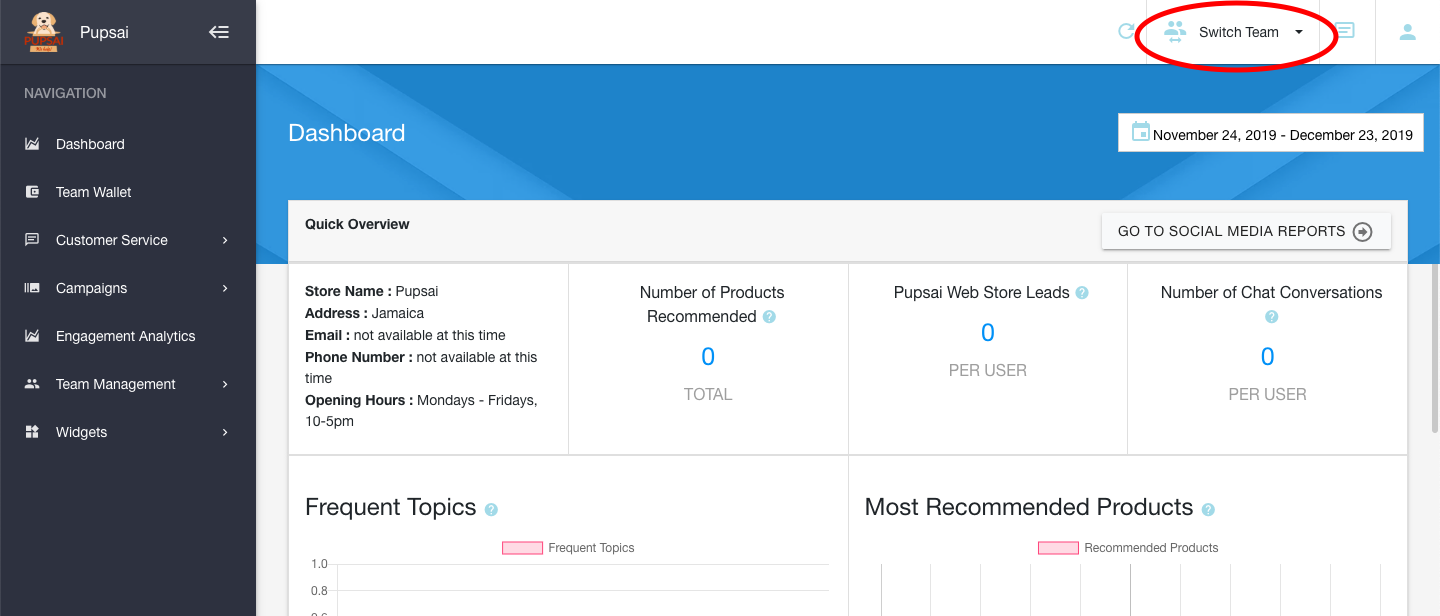
From your dashboard:
- In the top right hand corner of the page, is the "Switch Team" icon. Click it.
- From the drop down menu, select "My Teams"
- You'll be redirected to the "Team Management" page
- Click the "Add new team" tab
- Enter the desired name for your team
- Click the "Create Team" button
Using the "Team Management" option from the Navigation Bar
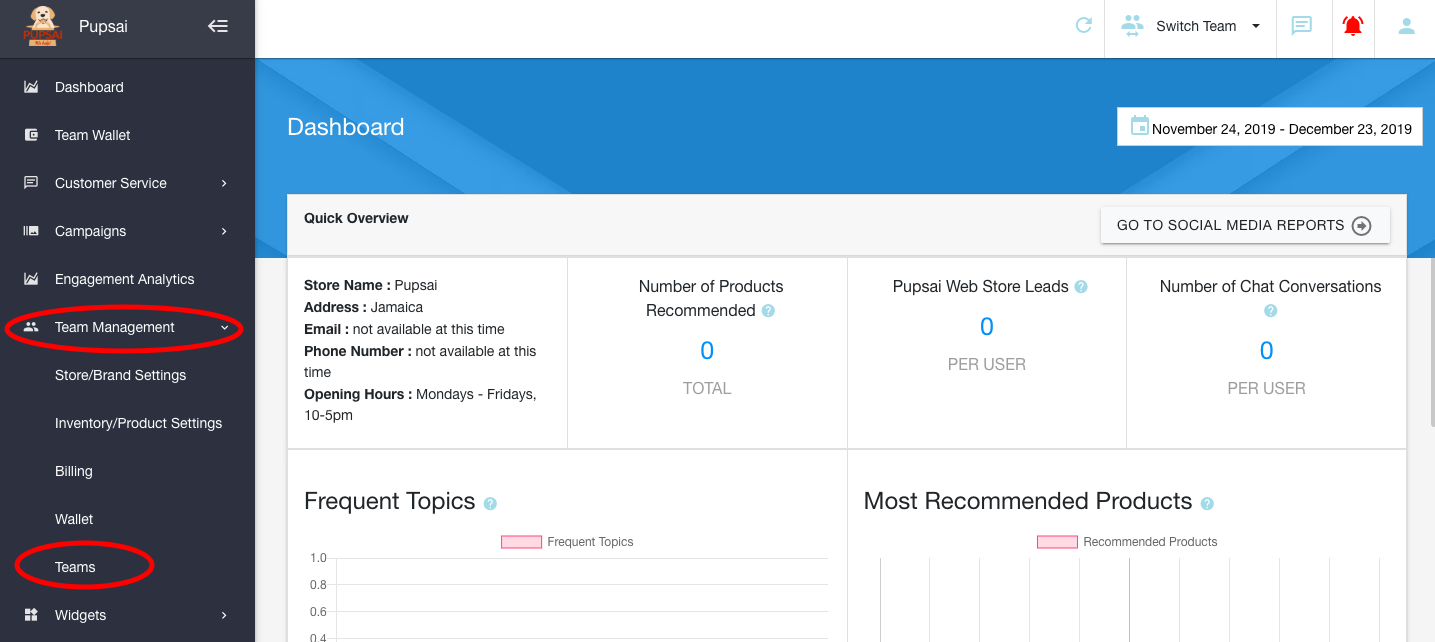
From your dashboard:
- In the navigation bar to the left of the page, select the "Team Management" menu option
- From the drop down menu, select "Teams"
- You'll be redirected to the "Team Management" page
- Click the "Add new team" tab
- Enter the desired name for your team
- Click the "Create Team" button
After Creating a Team
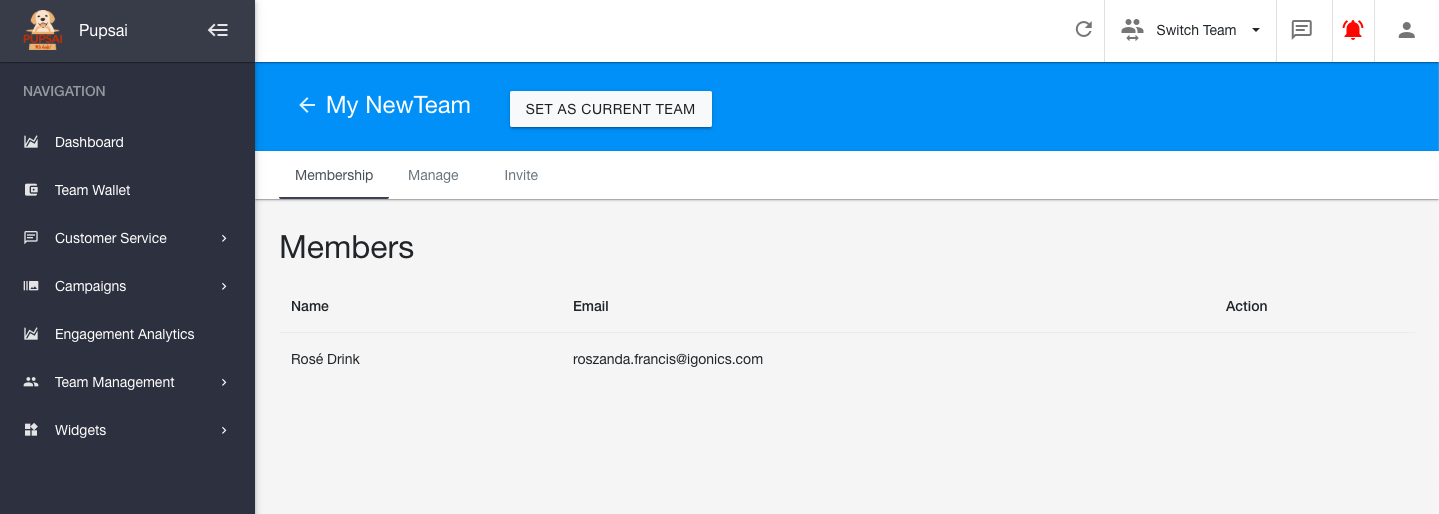
Once you click that "Create Team" button, you'll be able to:
- Set the team as your "Current Team"
- View the member(s) of your team
- Change the team's name from the "Manage" tab
- Invite persons via email to join your team from the "Invite" tab