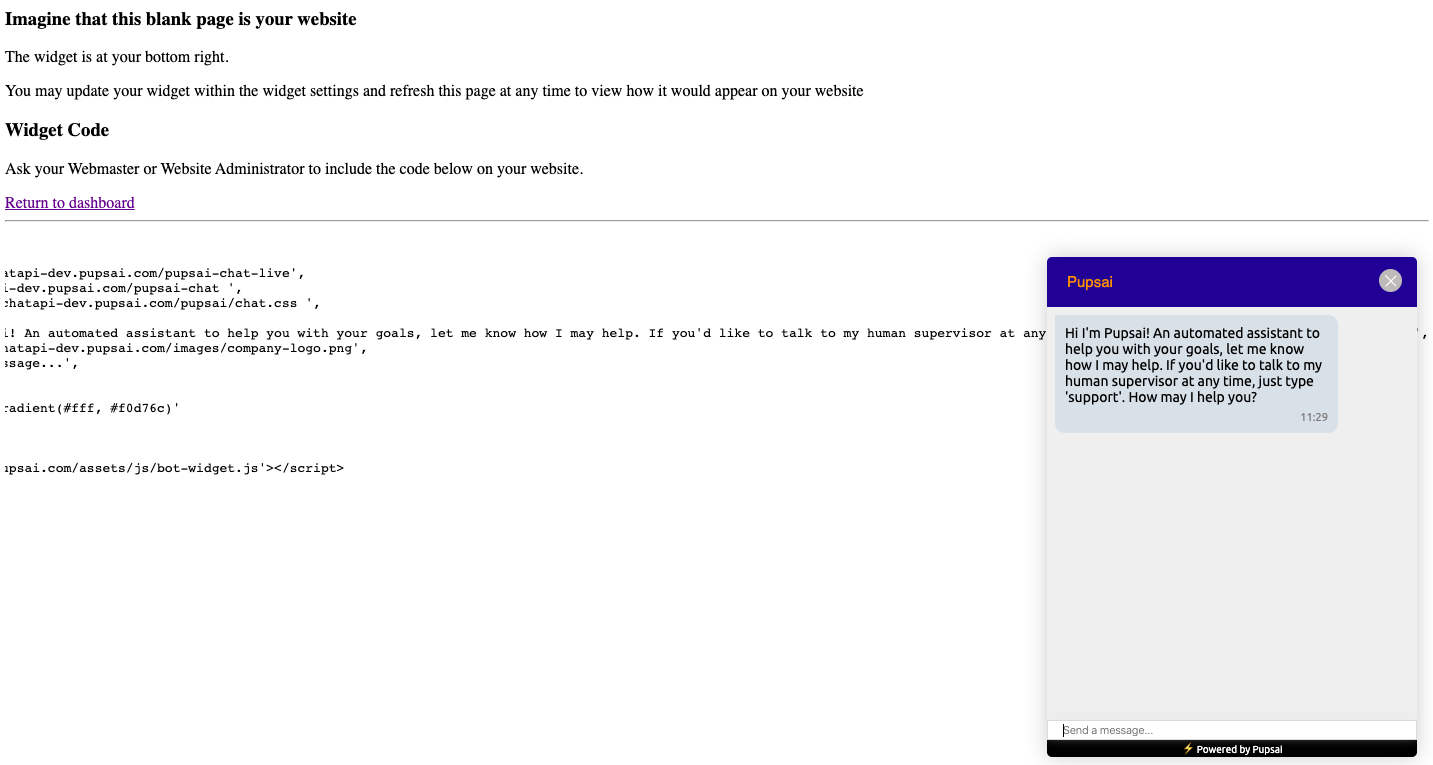
You may copy and paste the widget code on your website, wordpress and Shopify to have the Pupsai Widget there. Where there's Pupsai, there are happier and more customers!
To get started:
- Ensure you are logged in to your Pupsai account. For help logging in, refer to Login to Pupsai.
From your dashboard:
- In the navigation bar to the left of the page, select the "Widgets" menu option
- From the drop down menu, select "Widget Code"
- The Widget Code window will pop up
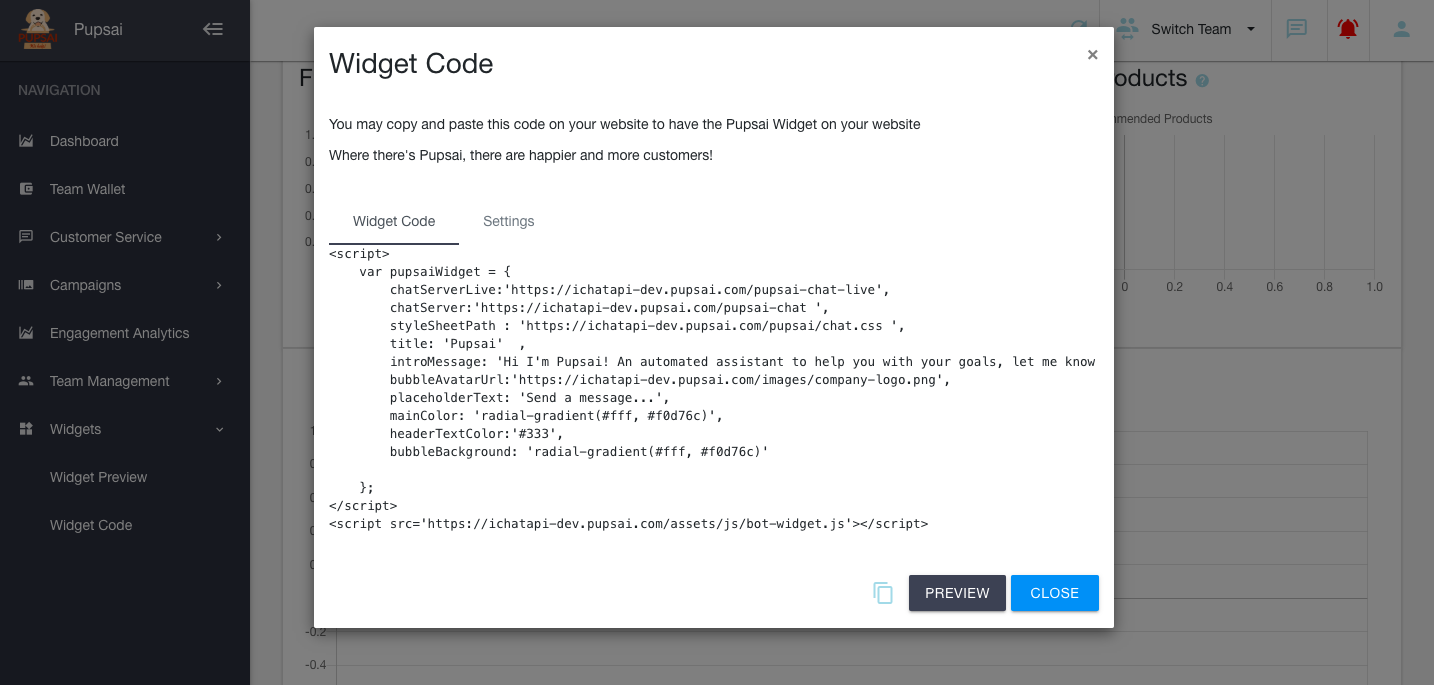
Accessing the Widget Code
- At the bottom of the window, there is a copy icon to easily copy the code for your website.
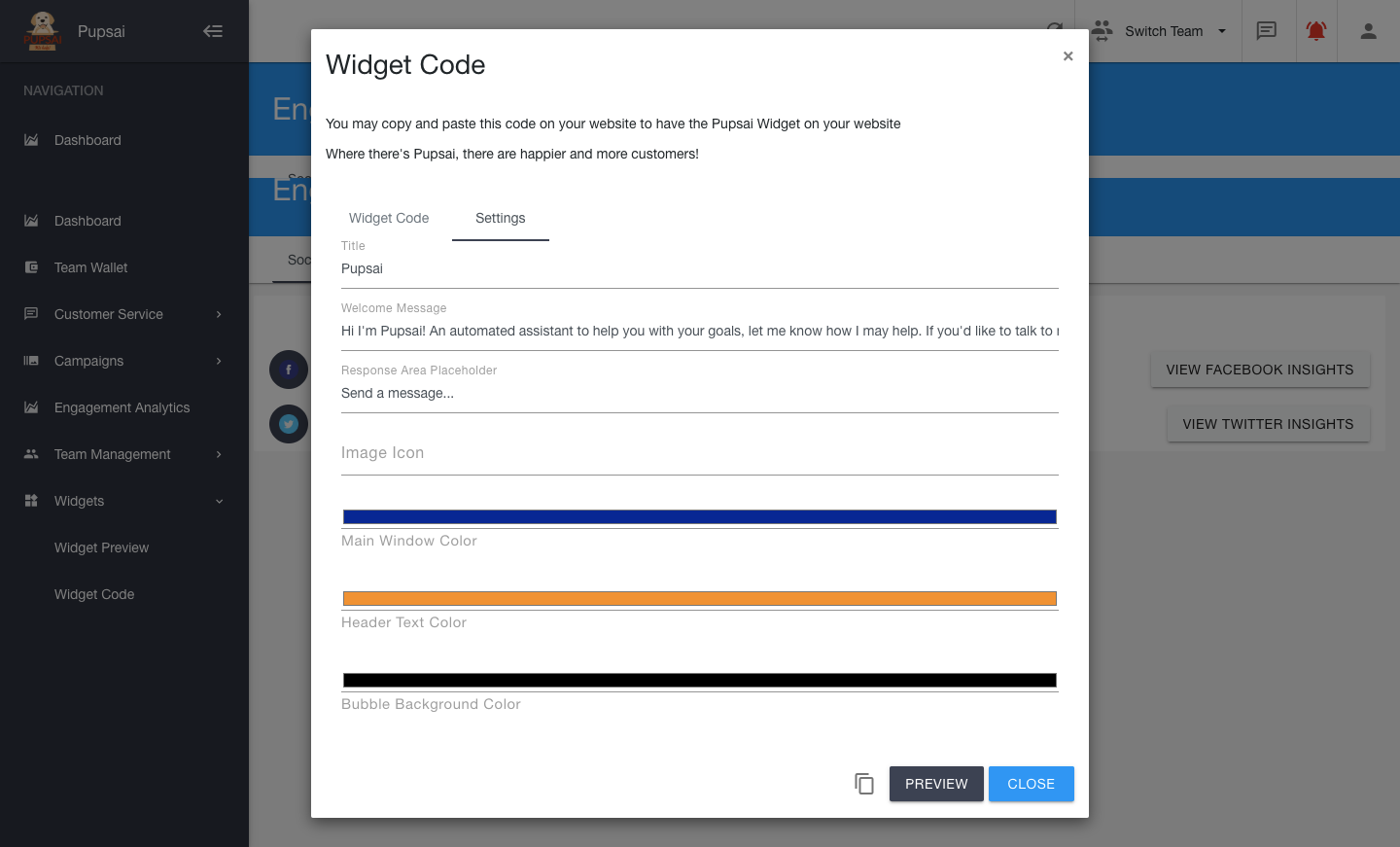
Customizing the Widget Code
- Click the settings tab
- From here, you have the option to change the:
- title of your window
- welcome message
- place holder text
- icon on the widget from the Pupsai logo to yours
- colours of the chatbot window
Previewing the Widget
There are two ways to preview the widget: from the "Widget Code Window" or the "Widget Preview" menu option.
Widget Code Window
- Click the "Preview" button at the button of the window
Widget Preview Menu Option
- From your dashboard:
- In the navigation bar to the left of the page, select the "Widgets" menu option
- From the drop down menu, select "Widget Preview"
For either option, you will be redirected to a new tab in your browser and the widget will be in the bottom right of the page. See image below:
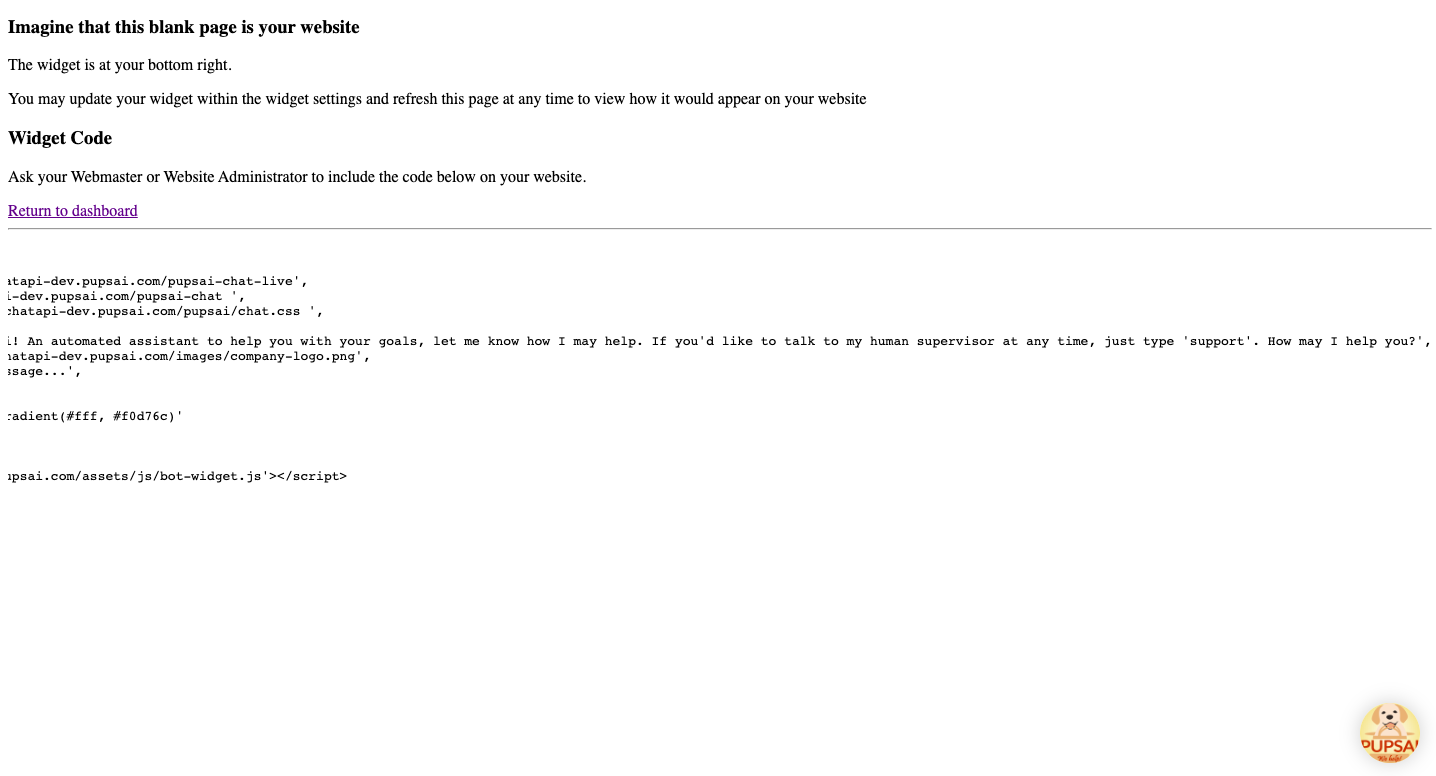
Click the widget to see customizations. See image below: