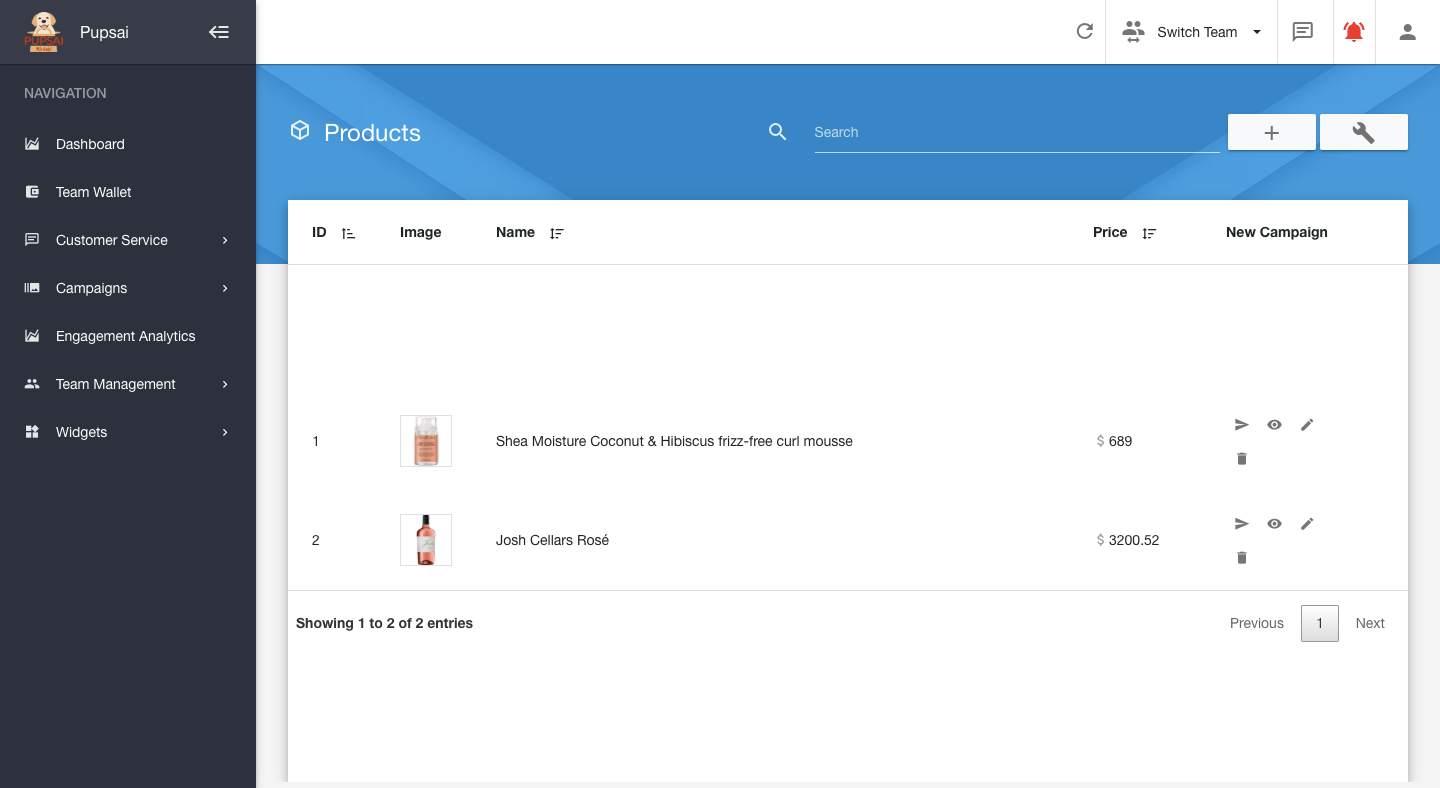
To get started:
- Ensure you are logged in to your Pupsai account. For help logging in, refer to Login to Pupsai.
- Ensure you have subscribed to Pupsai. If you have not done so and need help subscribing, refer to Subscribing To Pupsai.
- Have your product information ready
From your dashboard:
- In the navigation bar to the left of the page, select the "Campaigns" menu option
- From the drop down menu, select "Add Products"
- You'll be redirected to the "New Product" page
- Enter the details requested for your product. See image below
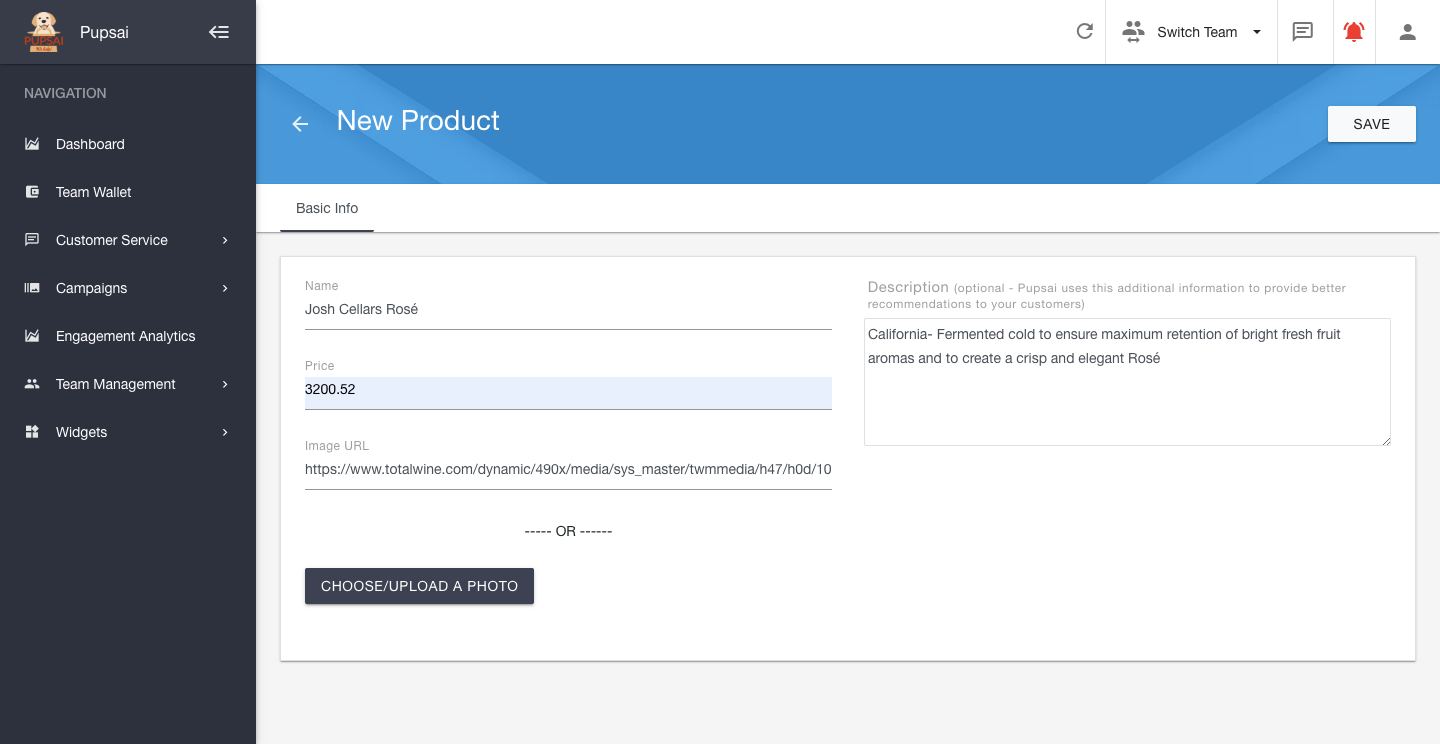
- Click the "Save" button
- An orange button to preview the product will appear in the bottom right of the screen
- Click the back arrow to view a list of all your products, to edit, delete or schedule campaigns