To get started:
- Ensure you are logged in to your Pupsai account. For help logging in, refer to Login to Pupsai.
- Ensure you have subscribed to Pupsai. If you have not done so and need help subscribing, refer to Subscribing To Pupsai.
- Add platforms to advertise your campaigns. Refer to Adding A Platform for help.
From your dashboard:
- In the navigation bar to the left of the page, select the "Campaign" menu option
- From the drop down menu, select "Automate"
- You'll be redirected to the "Automatic Campaigns" page
- From here, complete three (3) simple steps to automate your campaigns. Steps are shown below:
Step 1: Scheduling
Enter the desired time, dates and platform(s) you wish to share the campaings
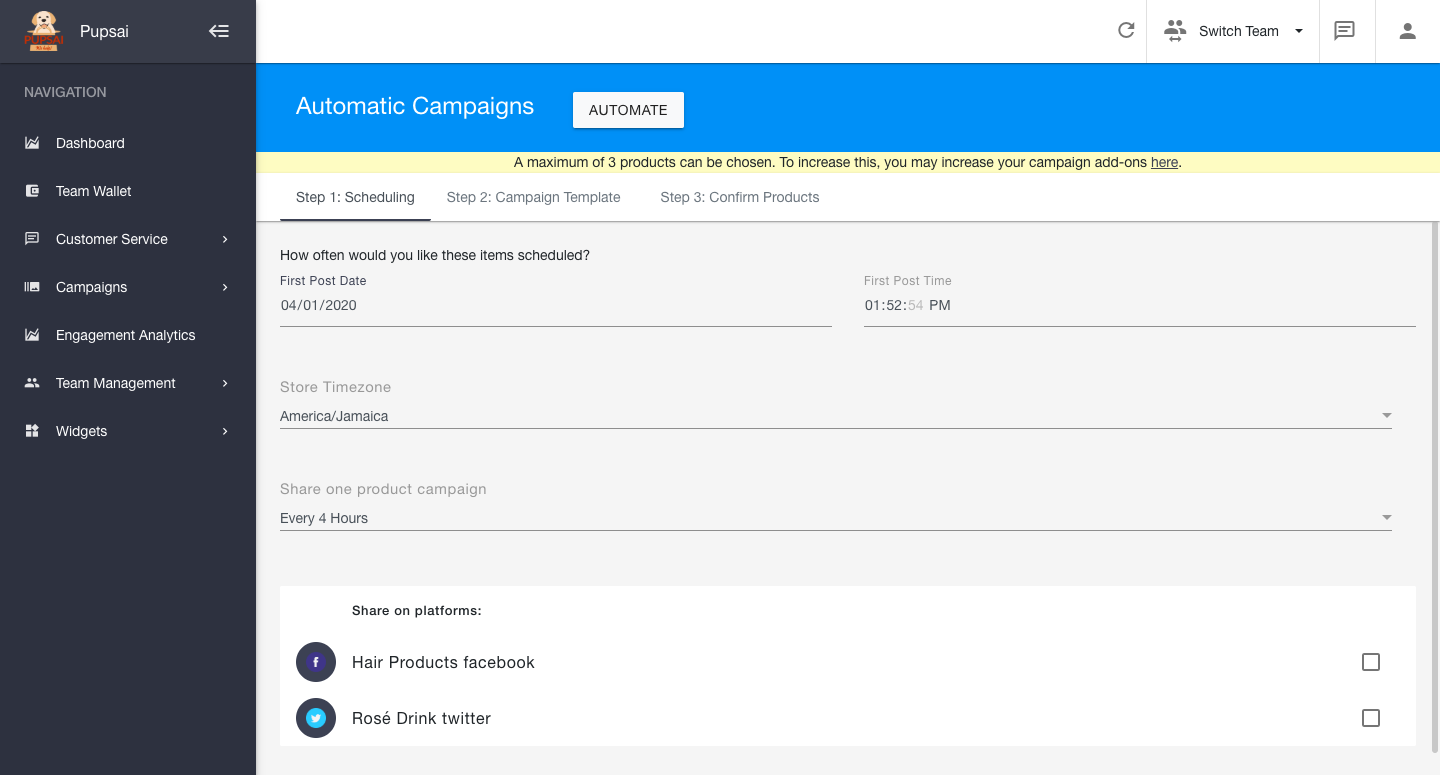
Step 2: Campaign Template
Pupsai will develop campaigns based on the template provided here. More information explaining each field is provided in the question mark icon.
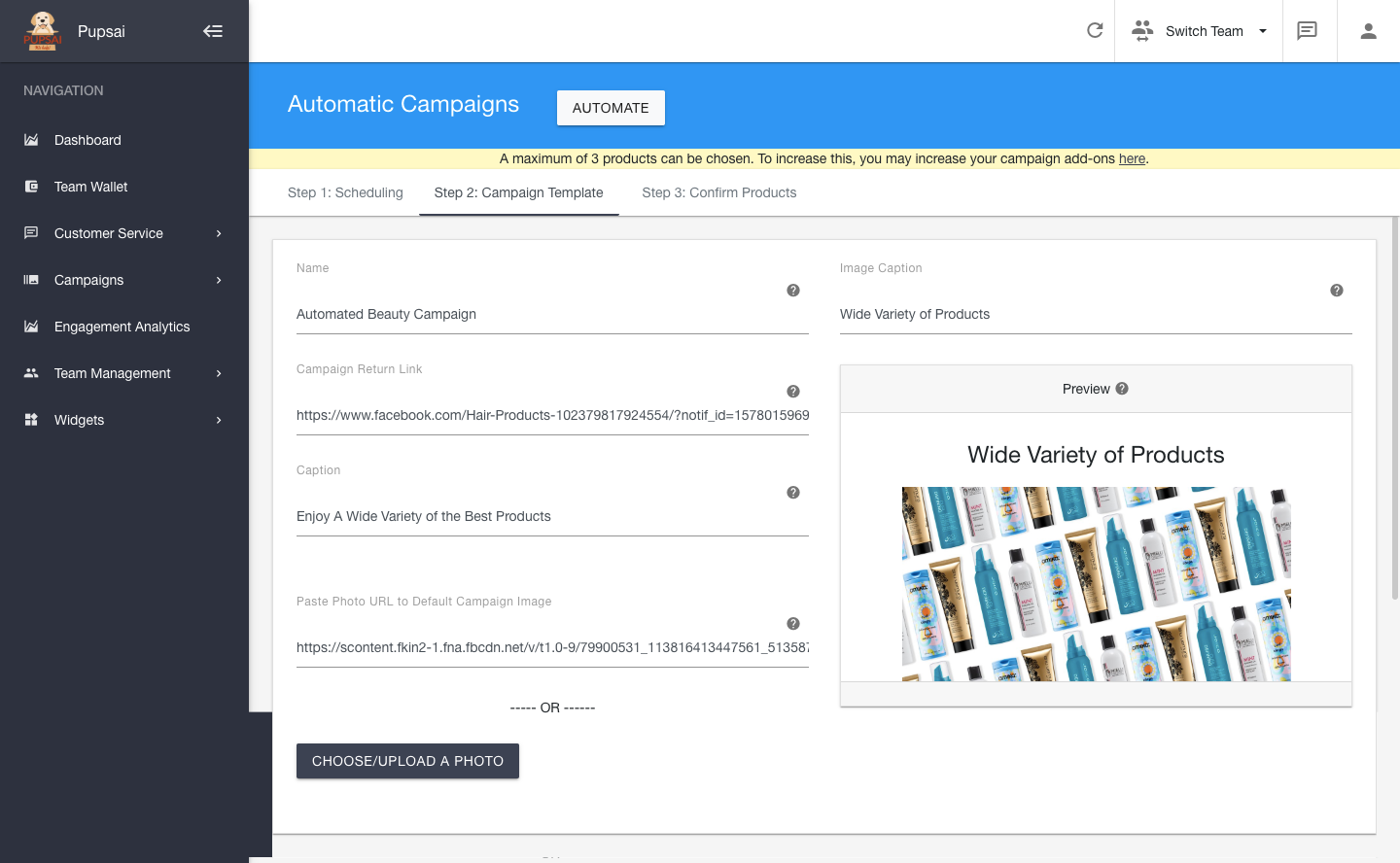
Step 3: Confirm Products
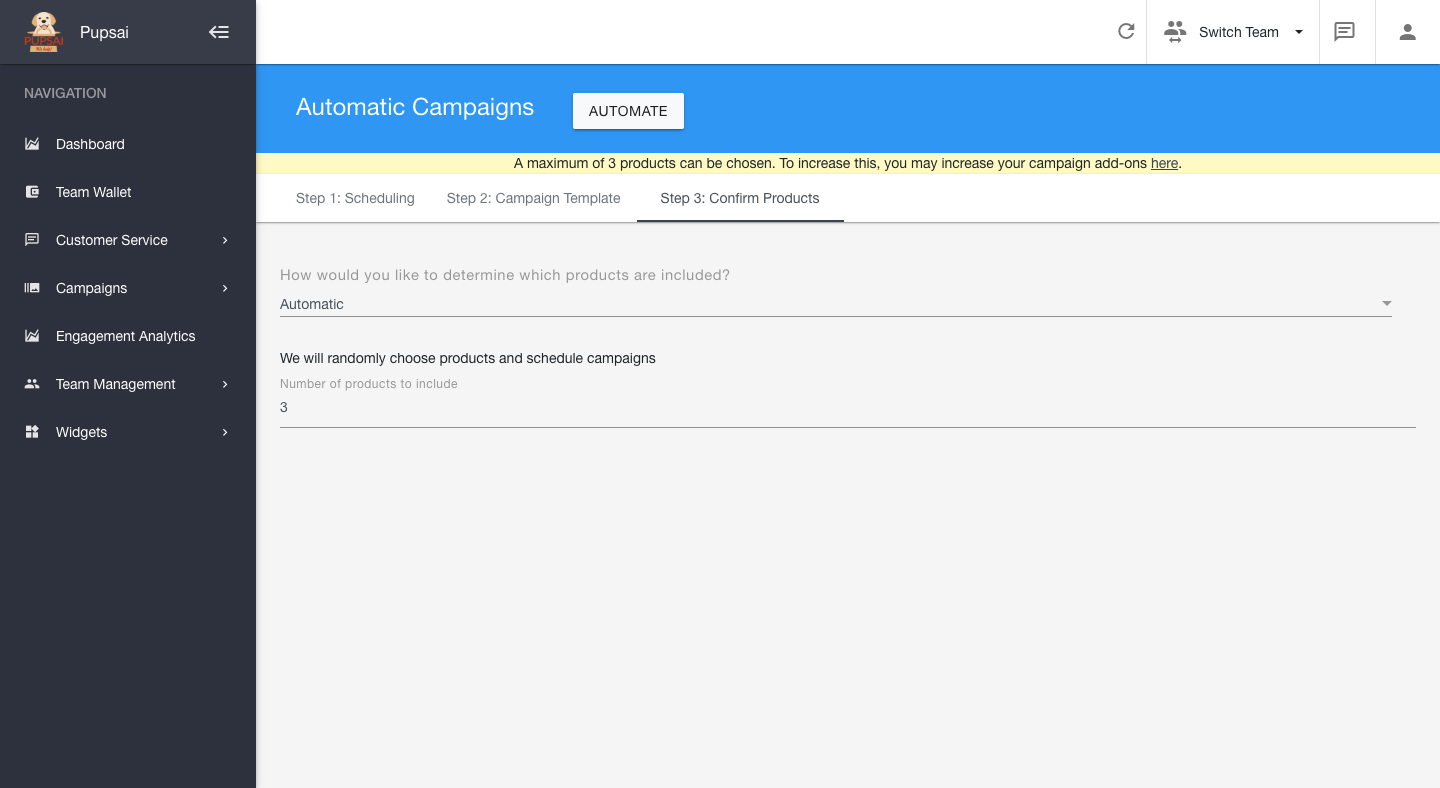
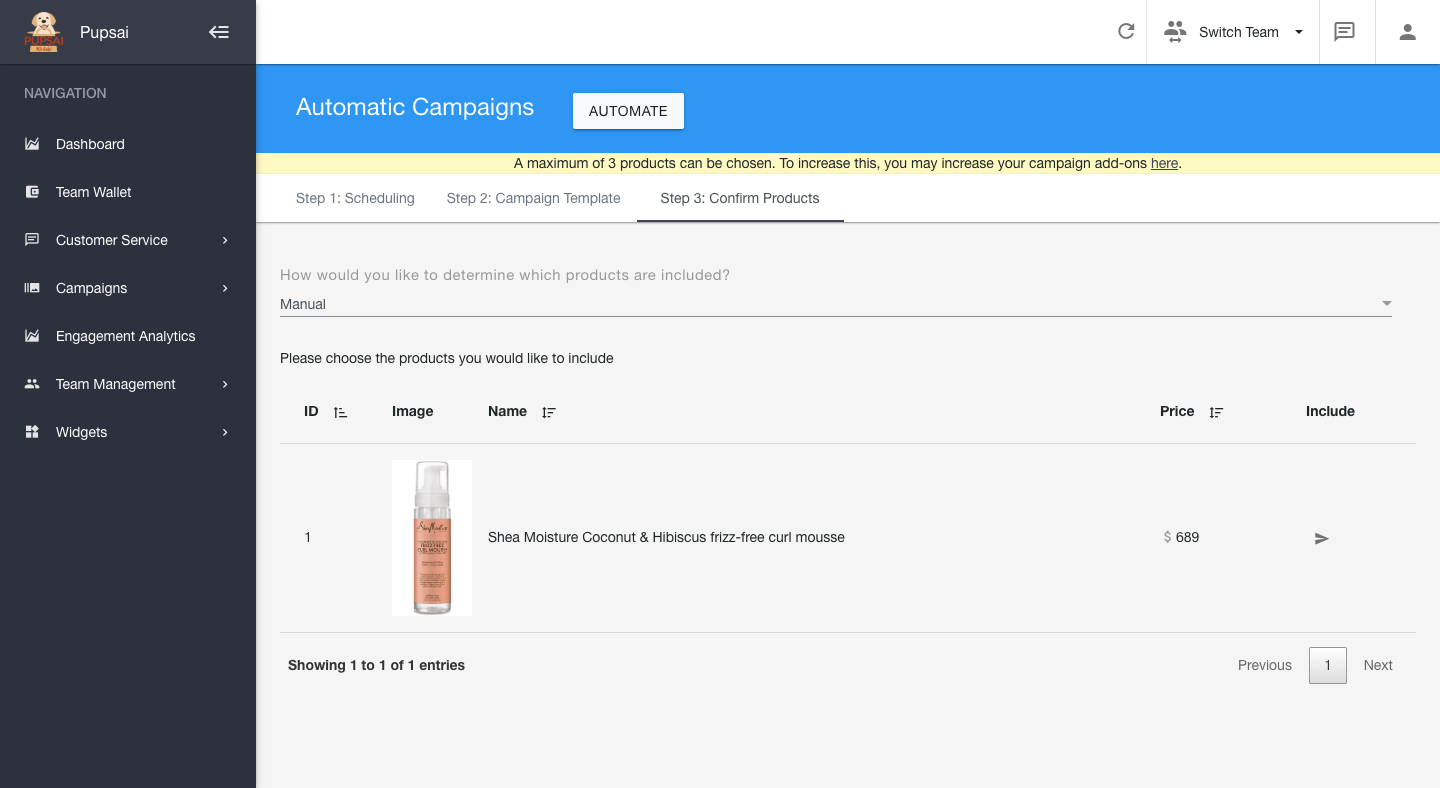
This section allows you to include products in your campaign. You can either let Pupsai automatically choose them for you, or you can manually select the products you wish to include. However, you first need to have products added to Pupsai. For help, check out Adding A Product.
Pupsai Automatically Choosing Products
You Manually Choosing Products
Click the arrow under the "Include" column to choose products
Once all steps have been completed
- Click the "Automate" button at the top of the page
- You will be redirected to the "Campaigns" page, where you can see a list of all your campaigns, to edit, view or delete